Your first assessment in five minutes
Create an assessment, go live, share the join code and watch answers arrive.
For teachers
- 1
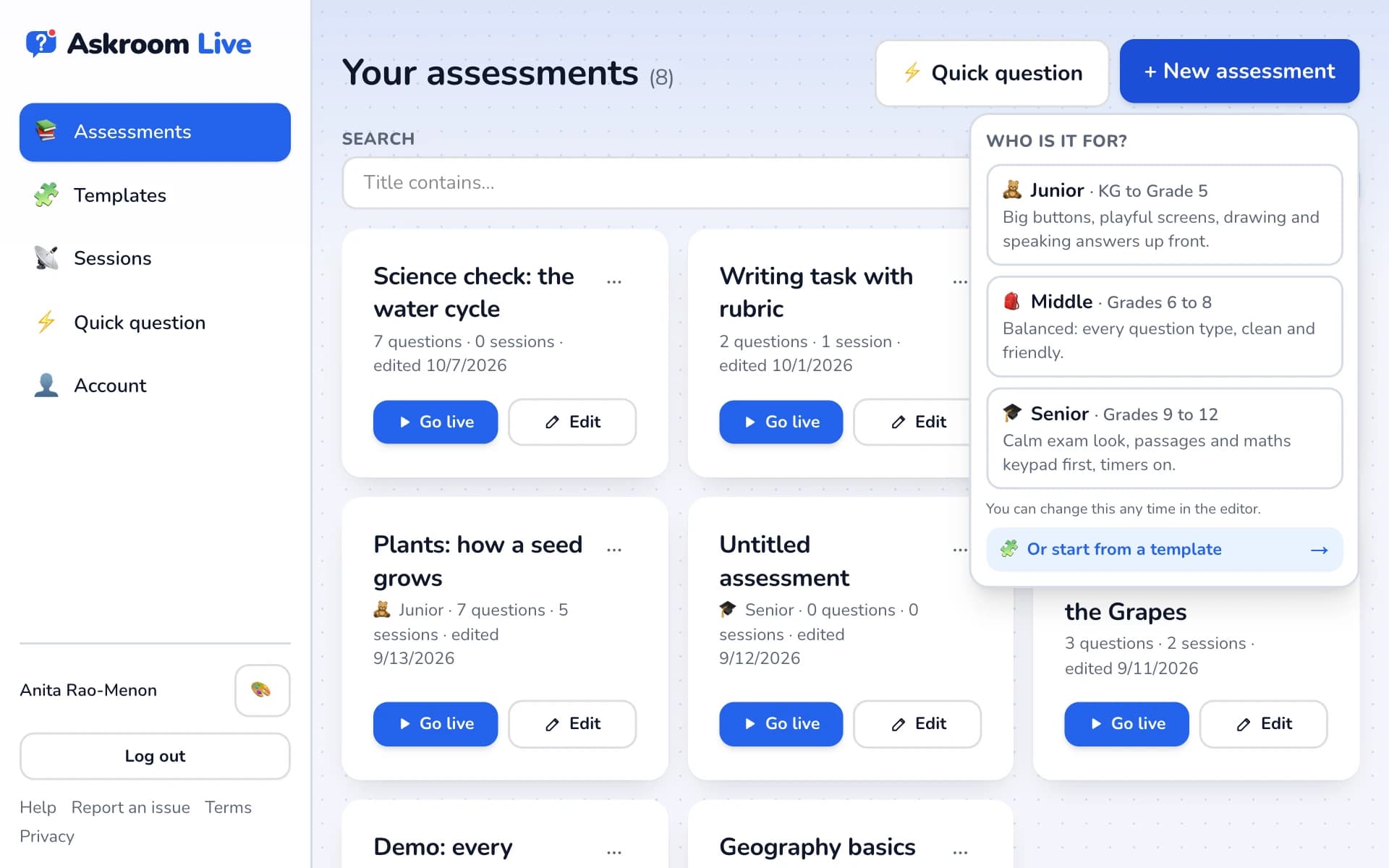
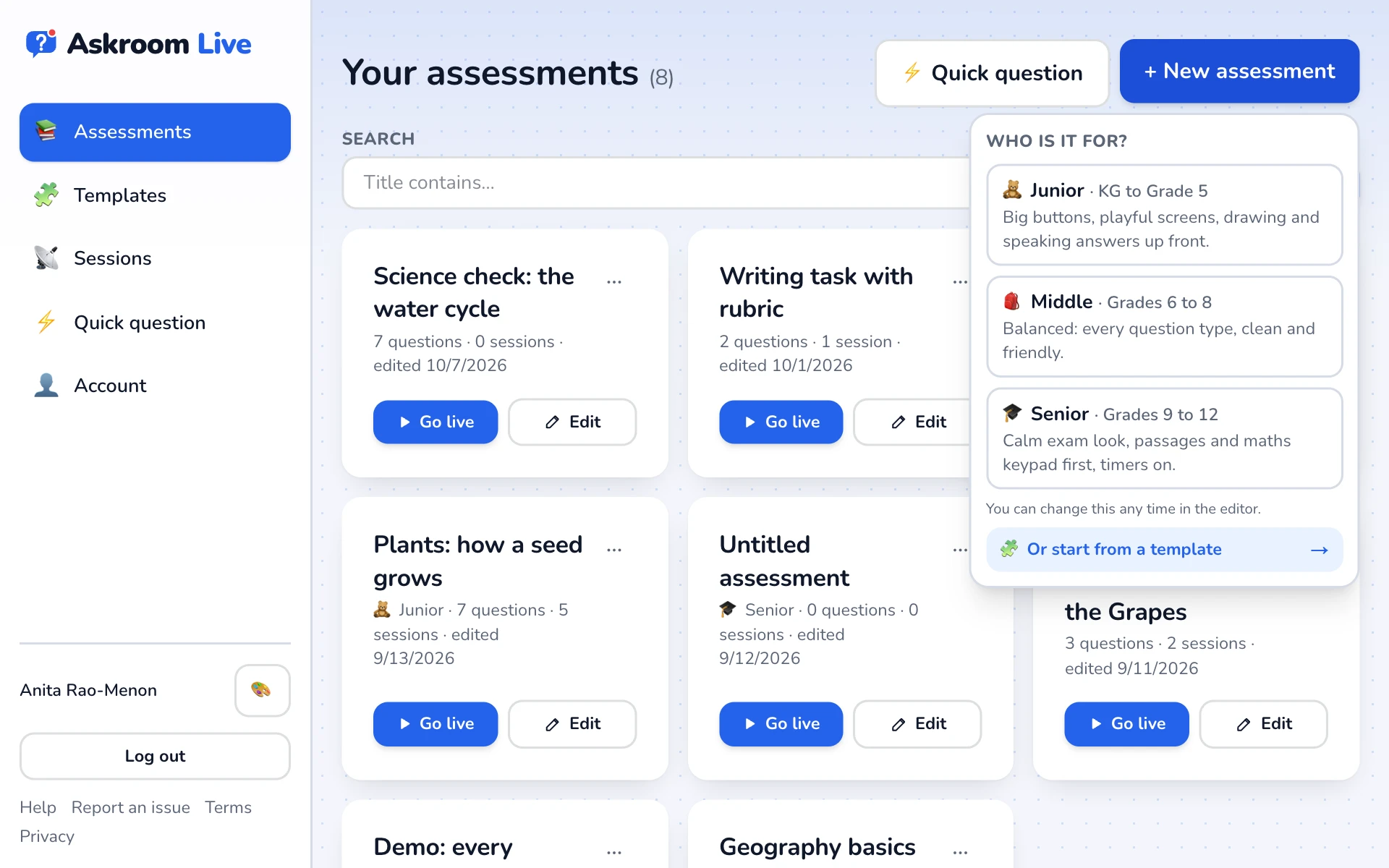
Press "+ New assessment"
Choose who it is for: "Junior · KG to Grade 5", "Middle · Grades 6 to 8" or "Senior · Grades 9 to 12". This only sets the look; you can change it later.
- 2
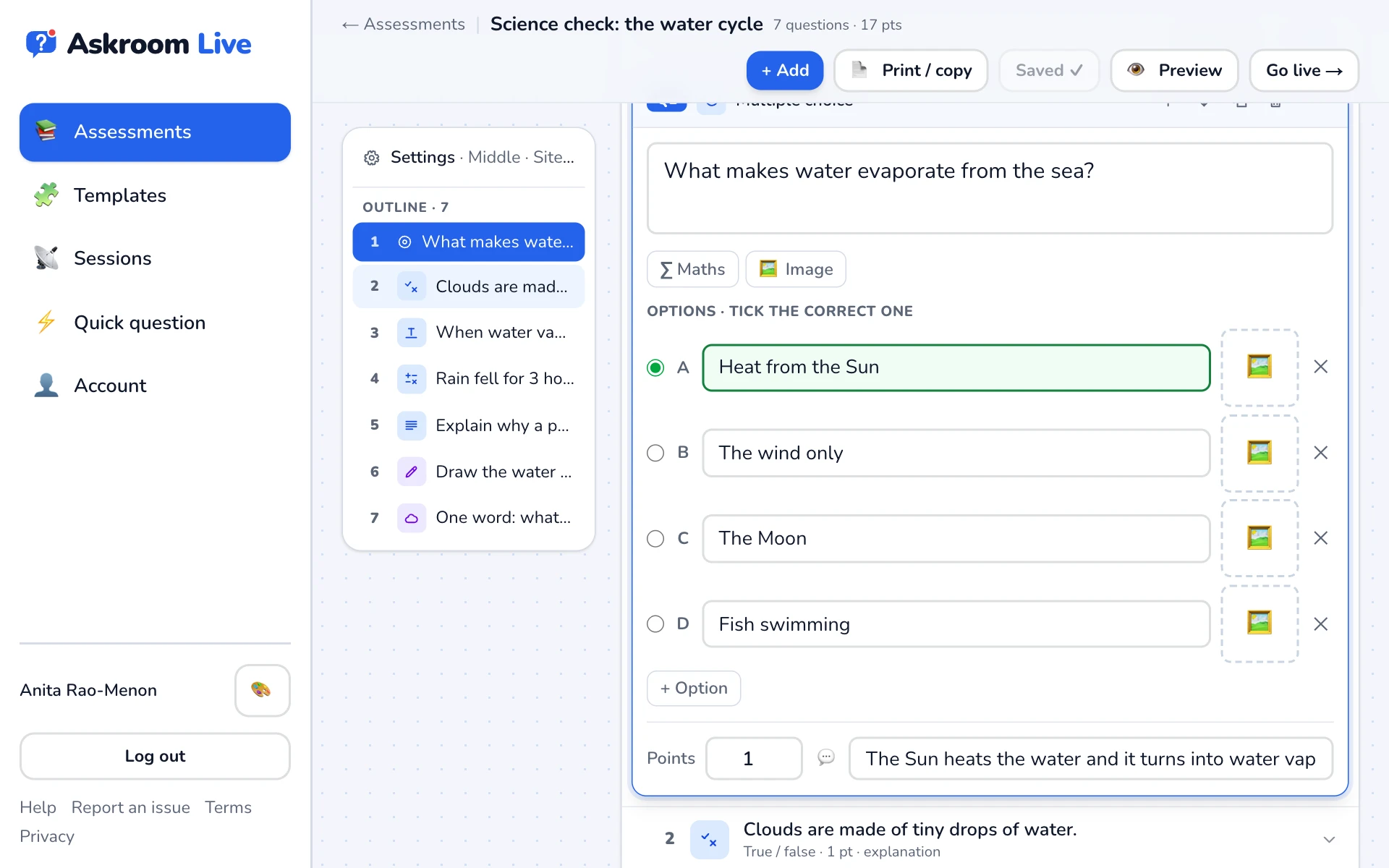
Add a question
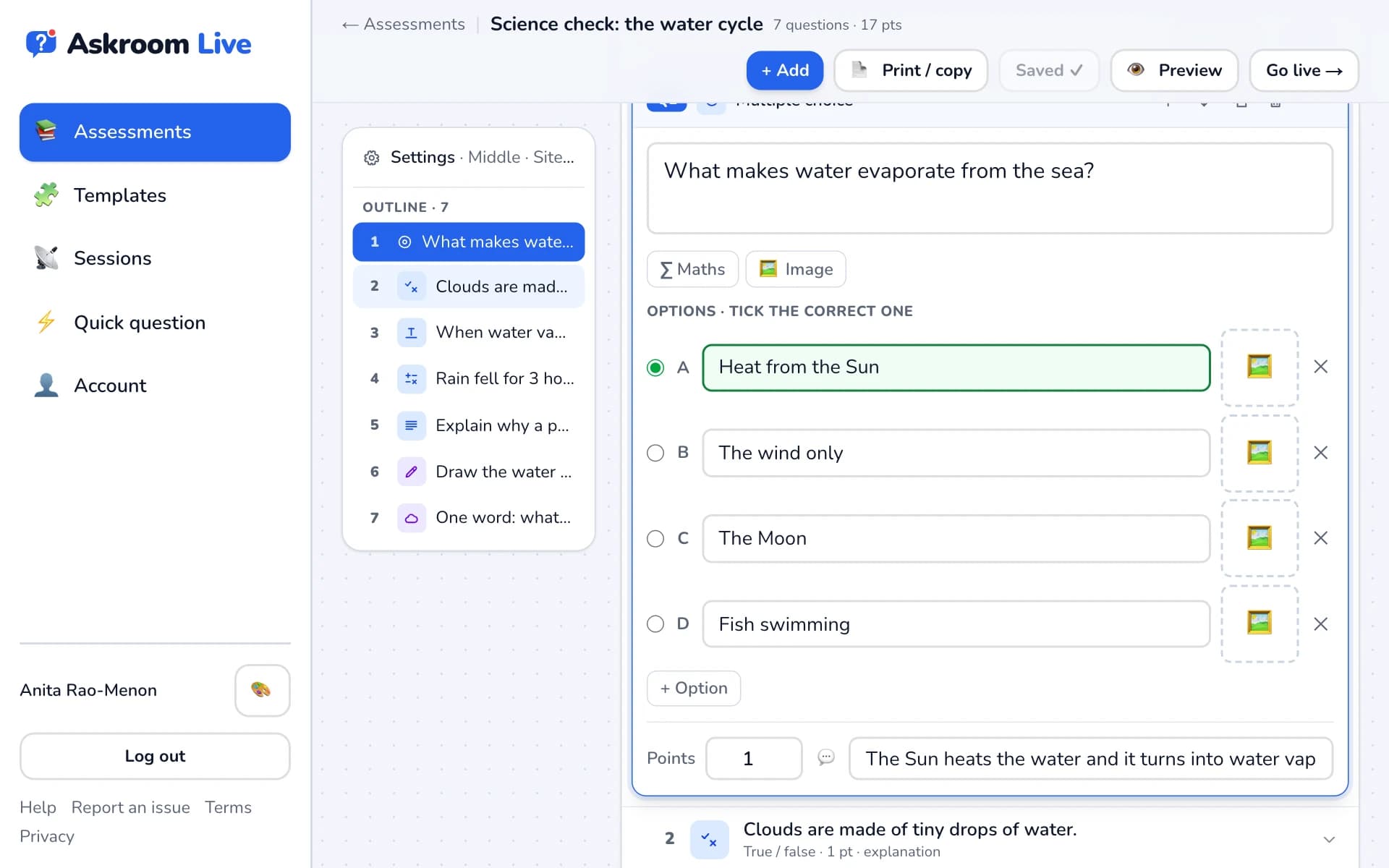
In the editor, press "+ Add" and pick a type, for example "Multiple choice". Type the question and the options, and tick the correct one.
- 3
Save and go live
Press "Save", then "Go live →". The defaults are fine for a first try. Press "Create session and get join code".
- 4
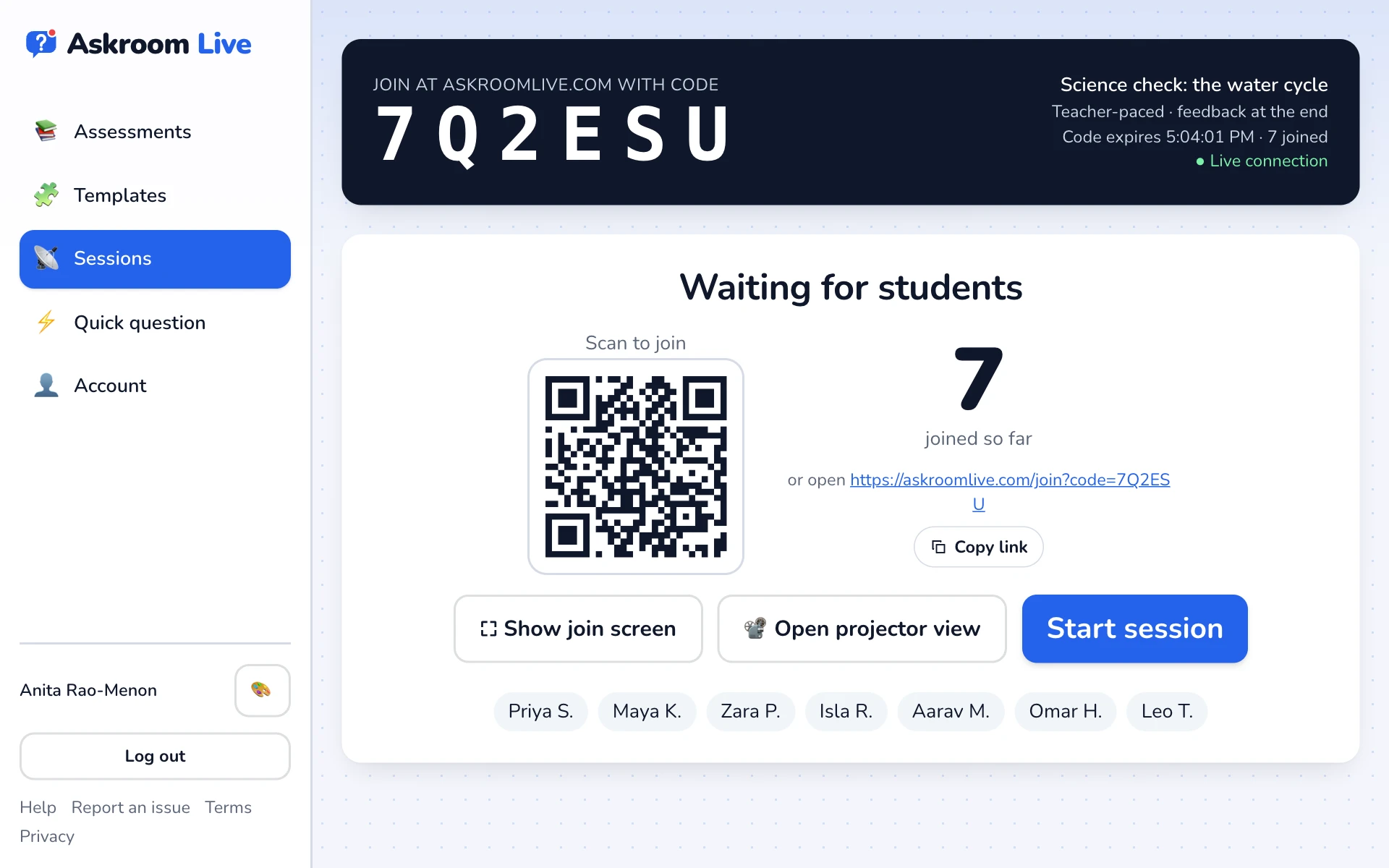
Share the code
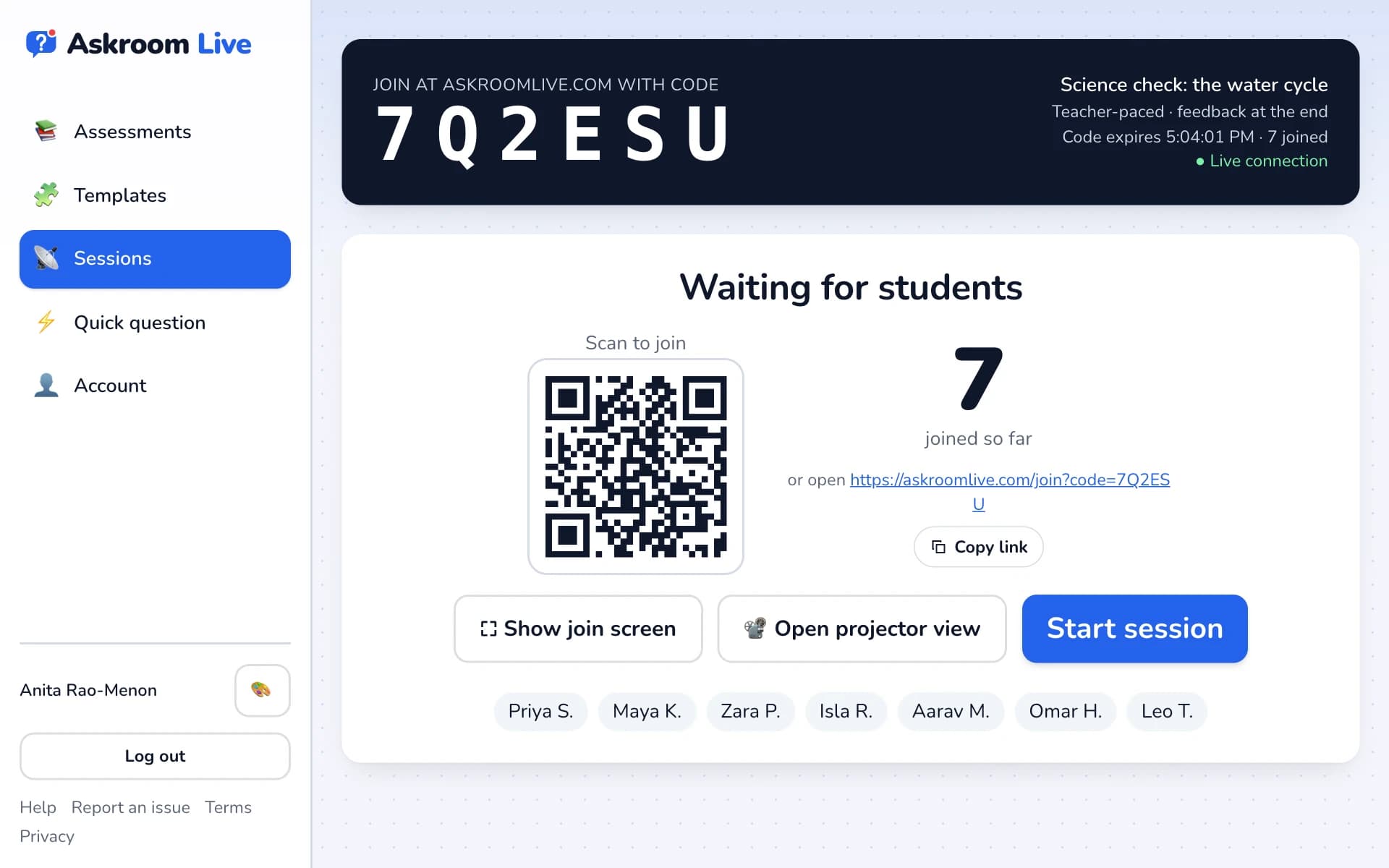
Your screen shows a big join code and a QR code. Students go to askroomlive.com, type the code and their name. Their names appear as they join.
- 5
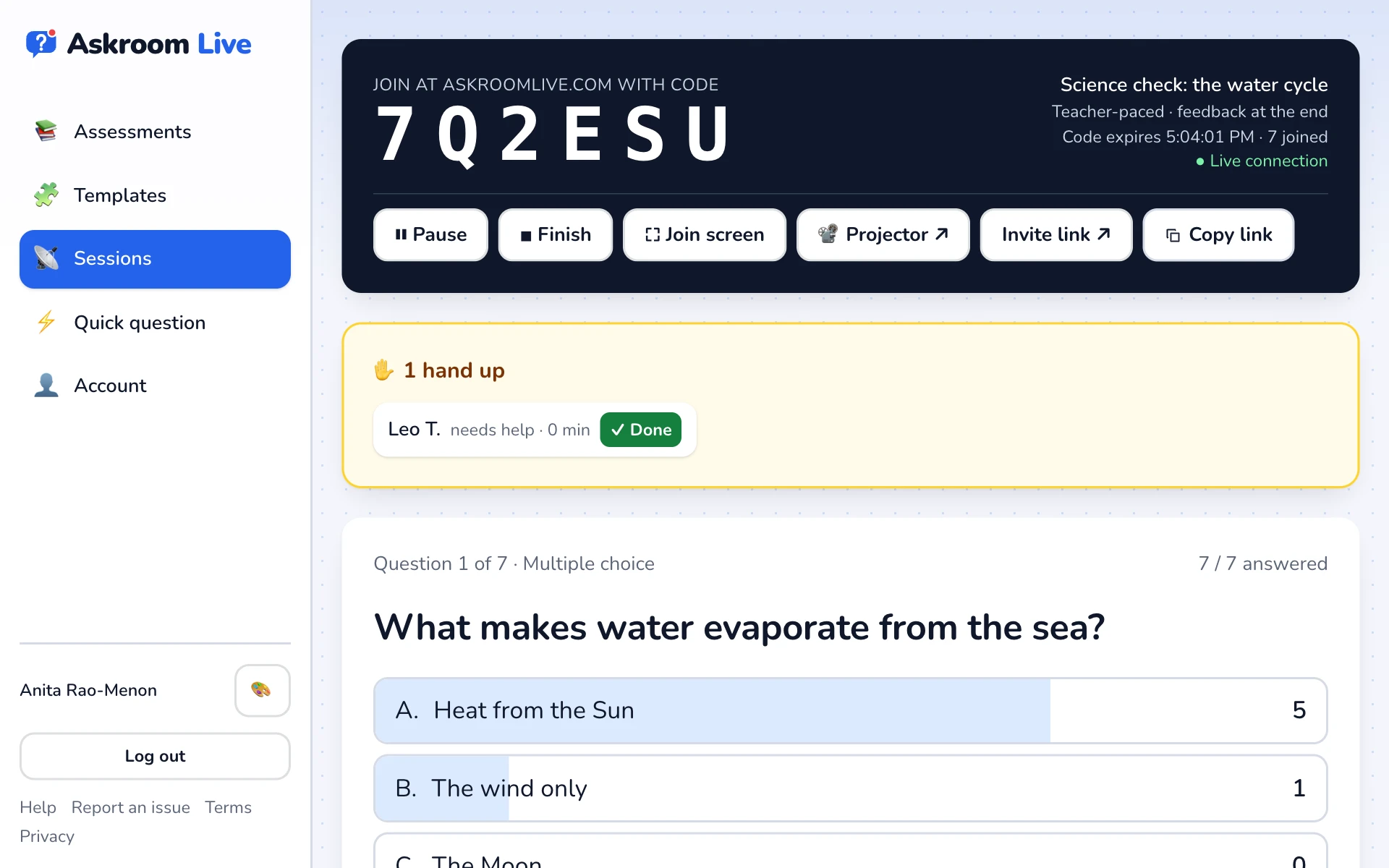
Start and watch
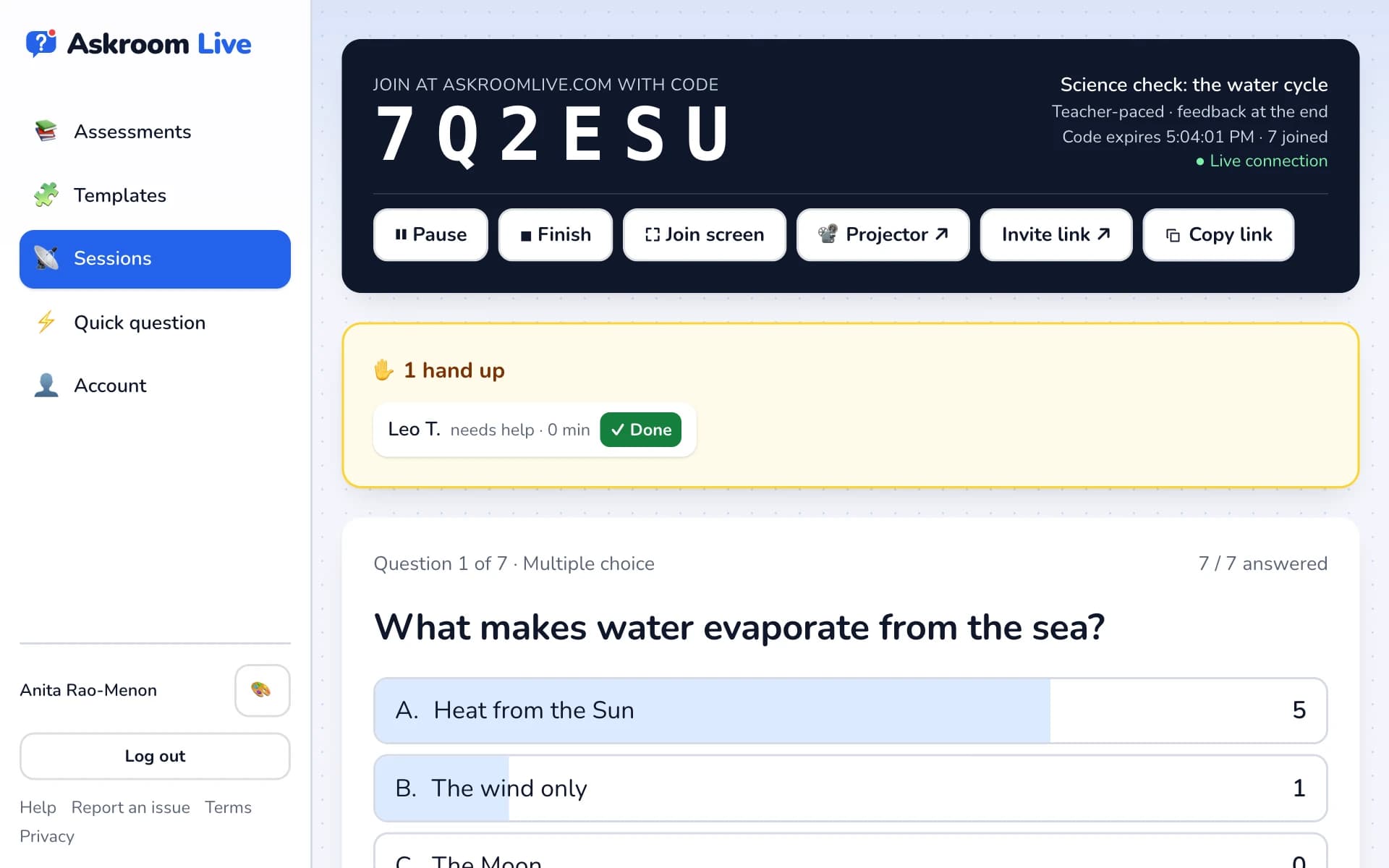
Press "Start session". Answers arrive live. Press "Next question →" to move on, and "■ Finish" when you are done.
Related
Was this page helpful?