Answer questions
Tap, type, draw or speak your answer. It saves as you go.
For students
- 1
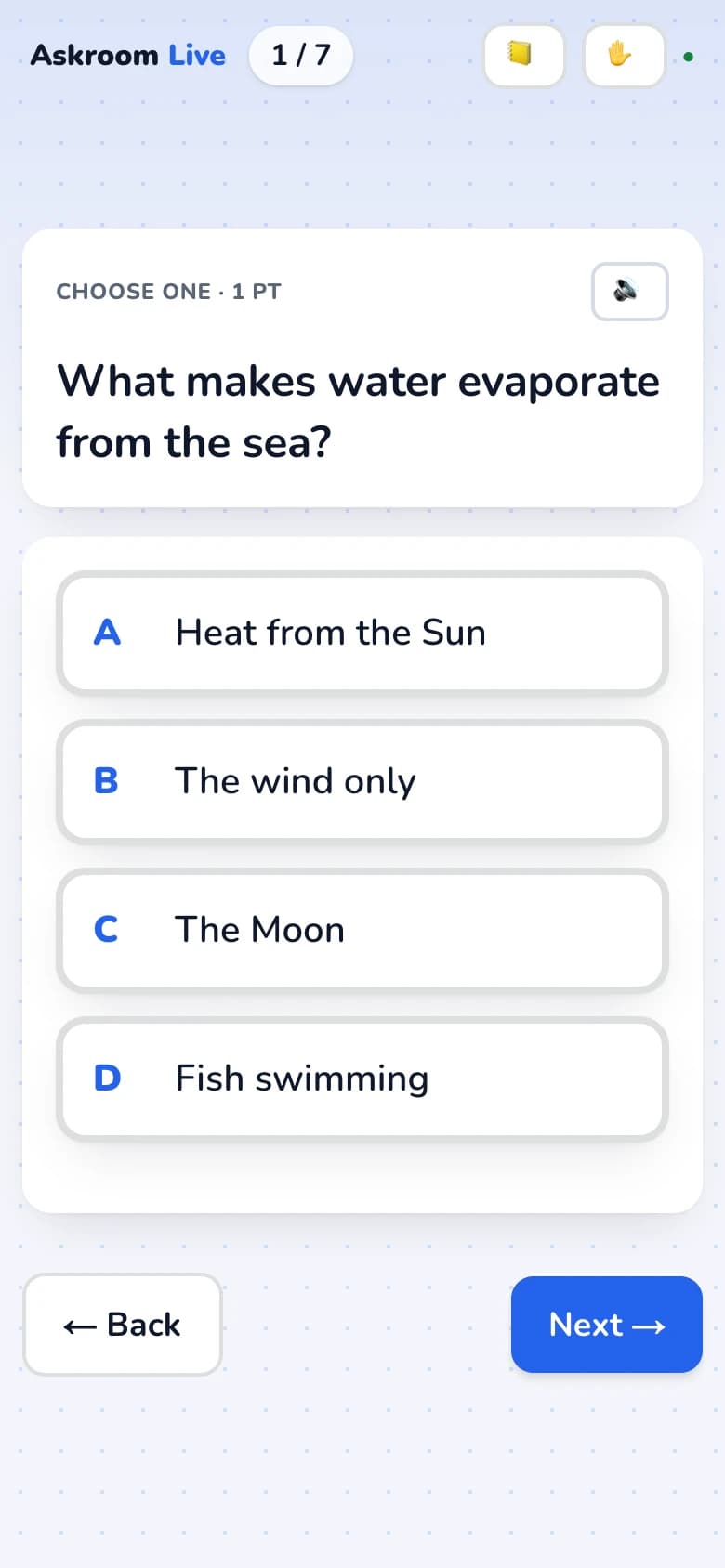
Read the question
Press "Read aloud" to hear it. A short hint tells you what to do, such as "Choose one" or "Draw your answer".
- 2
Answer
- Choices: tap your answer.
- Match: tap an item on the left, then its match on the right.
- Groups: drag each item into its group, or tap it then tap the group.
- Brainstorm: press Enter after each idea.
- Spoken answer: "🎙️ Start recording", "■ Stop", then "✓ Use this answer".
- 3
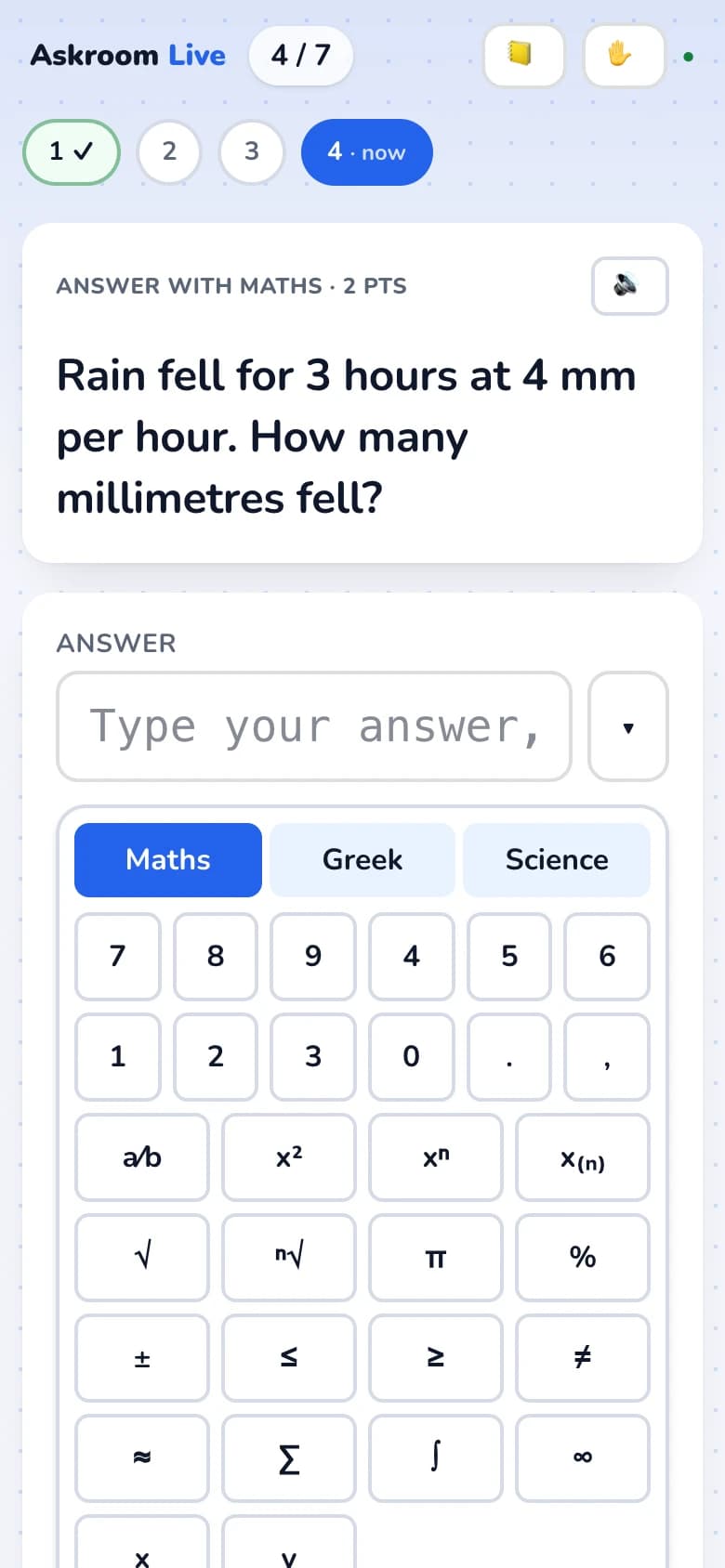
Maths answers
Write each working step on its own line and the result on the "Answer" line. The keypad has "Maths", "Greek" and "Science" tabs for fractions, powers, roots, Greek letters, chemical formulas and units.
- 4
Your answer saves itself
You see "Answer saved ✓". For drawings and longer answers in a lesson, press "Done ✓ Send to teacher" when you are finished.
- 5
Need help?
Tap "✋ Raise hand" and choose "🙋 I need help" or "✅ Check my work". Tap again to lower it.
Related
Was this page helpful?