Rubrics for written, drawn and spoken answers
A rubric is a short list of what a good answer has. Students can see it while they work, and you mark each point with one tap.
For teachers
- 1
Open a question that you mark
Rubrics are available on "Paragraph", "Drawing", "Spoken answer" and "Worksheet" questions.
- 2
Add a rubric
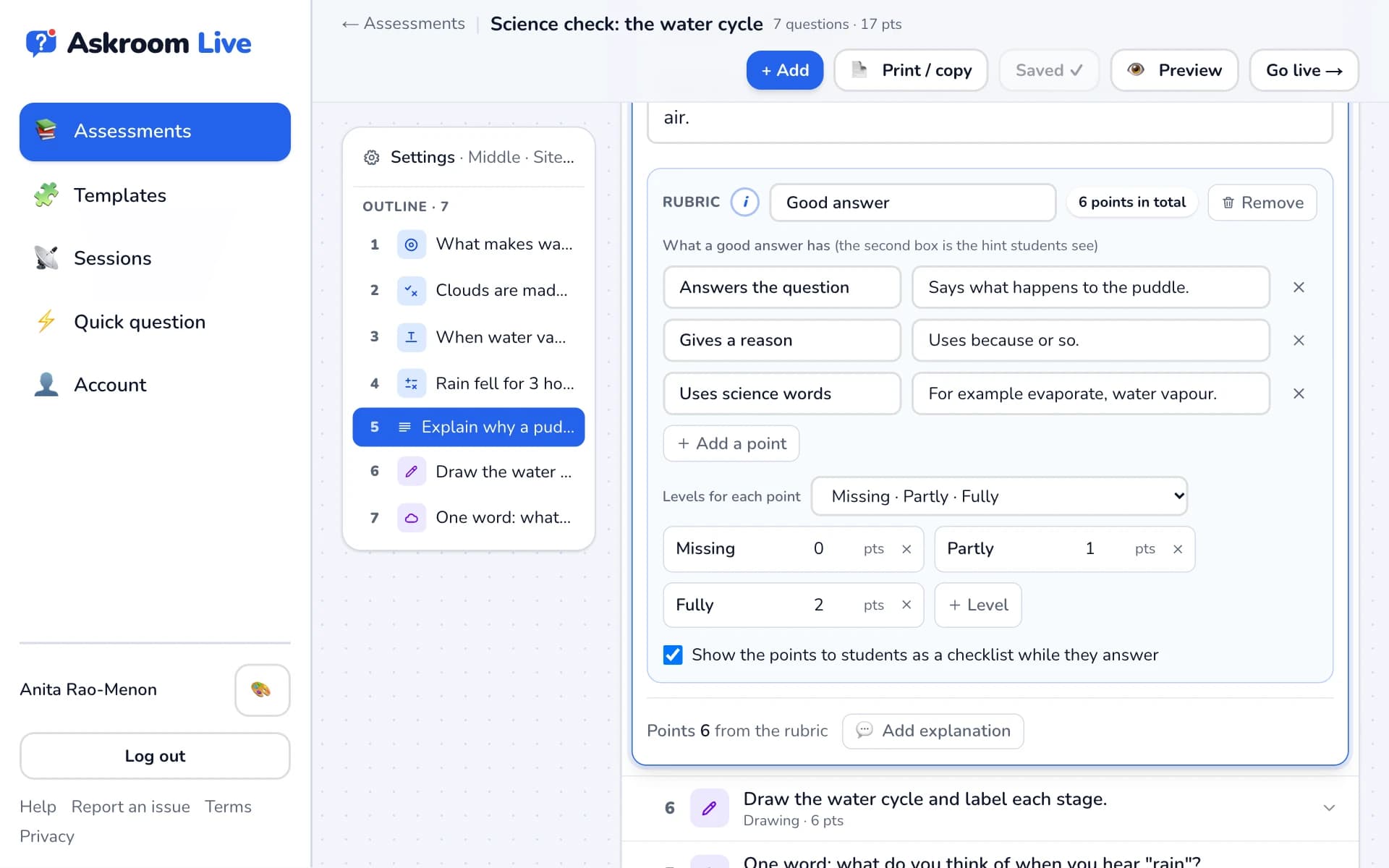
Press "Add a rubric" and pick a ready-made one, such as "Good answer", "Little learners", "Maths problem solving", "Writing" or "Diagram or drawing", or press "Write my own". The best fit is marked "Suggested".
- 3
Adjust it
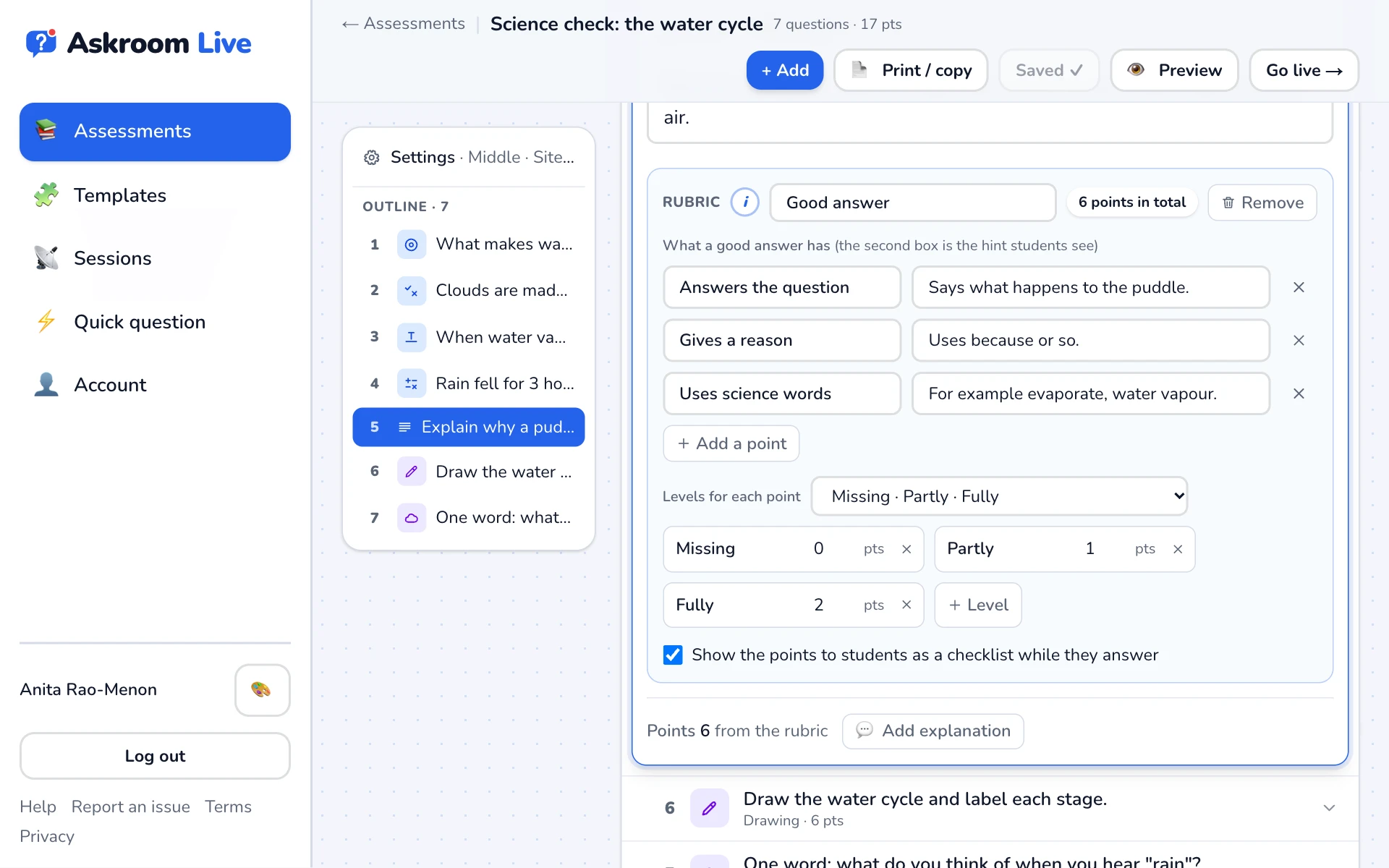
Edit "What a good answer has" and the "Levels for each point", for example "Not yet · Nearly · Got it" for young children. The question's points become the rubric total.
- 4
Show it to students
Leave "Show the points to students as a checklist while they answer" ticked so students know what a great answer looks like.
- 5
Mark with it
When you open a student's answer, tap a level for each point. The score adds itself up.
Related
Was this page helpful?