Templates, reusing questions and pasting questions
Start from a ready-made lesson format, reuse questions from your earlier assessments, or paste a list of questions.
For teachers
- 1
Start from a template
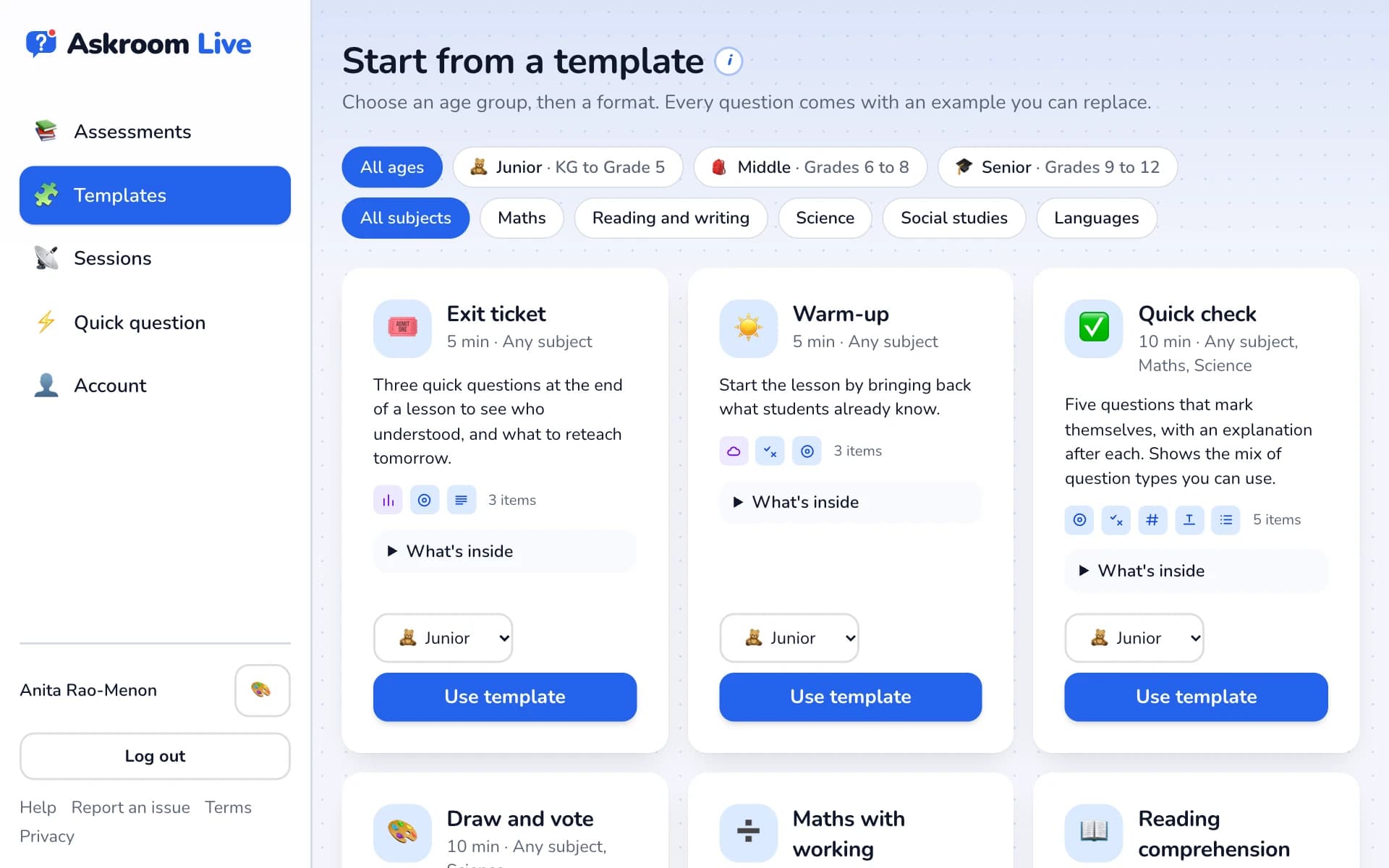
Open "🧩 Templates". Filter by age and subject, open "What's inside" to see the questions and how to run it, pick the age group and press "Use template". Replace the examples with your own.
- 2
Reuse an earlier question
While typing a question (3 letters or more), a list appears: "From your earlier assessments". Pick one to copy it with its answers.
- 3
Paste a list of questions
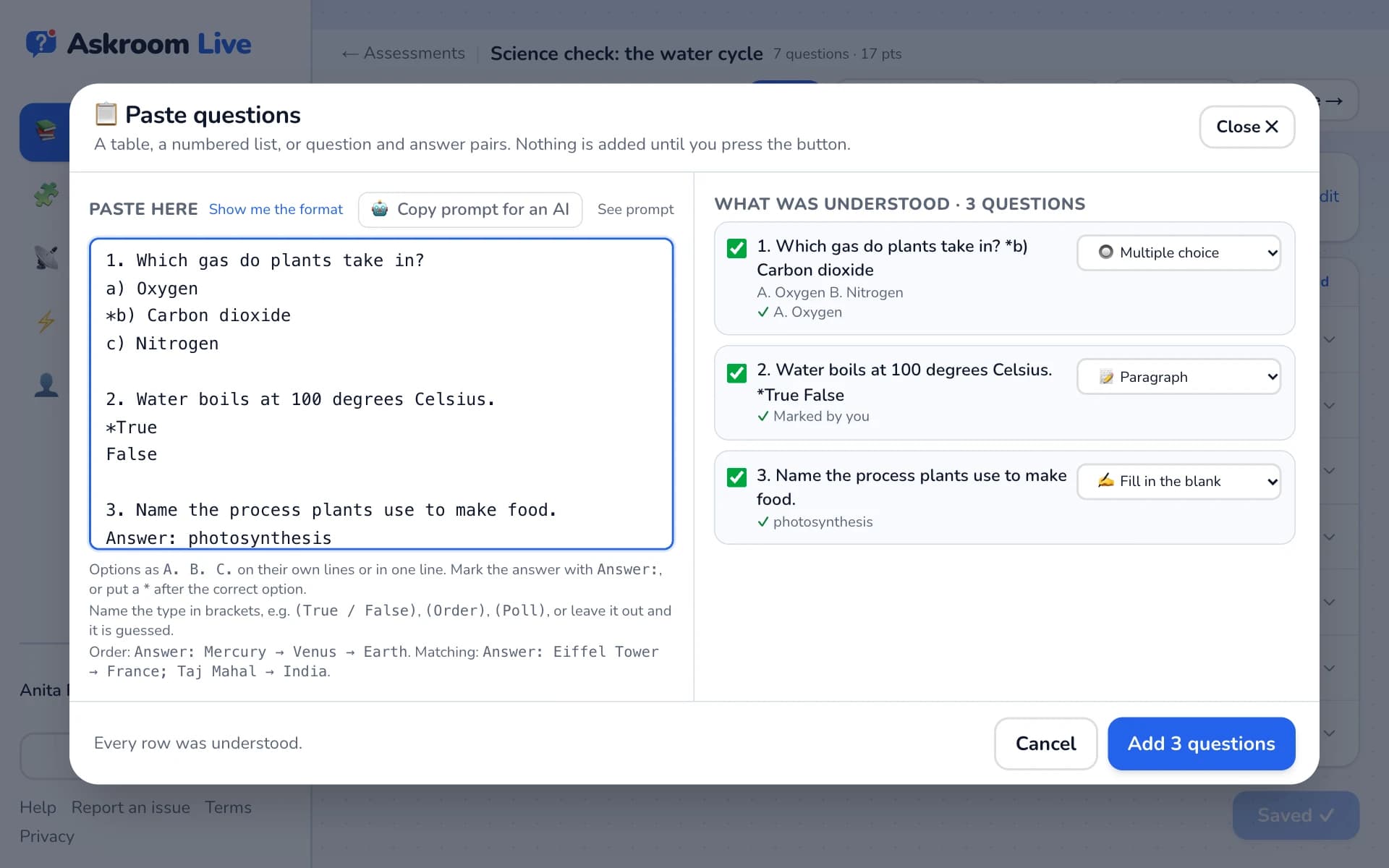
Press "+ Add" → "Paste questions". Paste your questions; "Show me the format" explains how to write them. Check the list under "What was understood", then press "Add … questions".
- 4
Duplicate a whole assessment
On the dashboard, open the "⋯" menu on a card and choose "Duplicate" to make a copy you can change.
Related
Was this page helpful?